

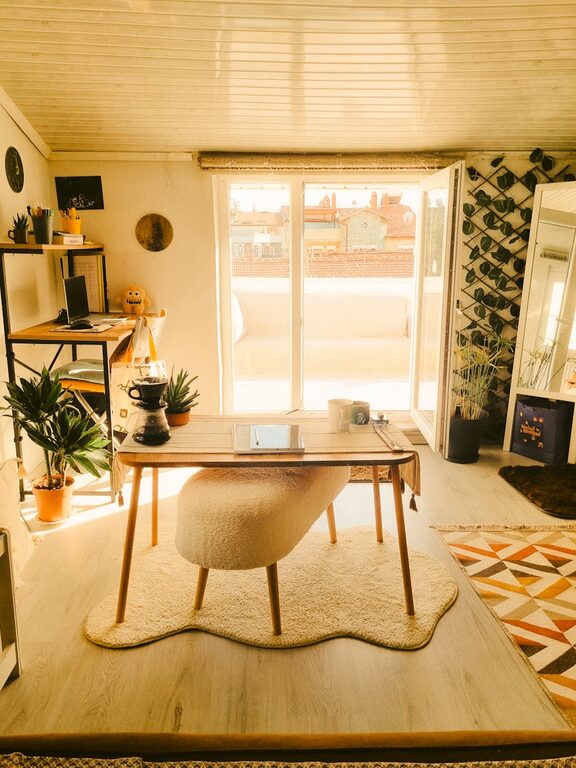
Creating a home workspace that balances comfort and productivity can make a big difference in your daily work experience. Whether you work remotely full-time or need a dedicated area for occasional tasks, designing a space that inspires focus and relaxation can help you stay motivated and efficient. Here are some practical tips to help you set up a cozy and productive home workspace.
Choose the Right Location
Consider Natural Light
Start by selecting a spot in your home that receives plenty of natural light. Bright, natural light improves mood and energy levels, making it easier to concentrate. If natural light is limited, use warm but bright artificial lighting to reduce eye strain.
Minimize Distractions
Pick a quiet area where you are less likely to be interrupted by household noises or foot traffic. This could be a spare room, a corner in a less-used room, or even a nook near a window.
Invest in Comfortable Furniture
Ergonomic Chair and Desk
A comfortable, ergonomic chair is essential for long working hours. Look for chairs that support your lower back and promote good posture. Pair it with a desk at the right height to avoid strain on your wrists and shoulders.
Flexible Options
If space allows, consider a sit-stand desk or a setup that lets you alternate between sitting and standing throughout the day. This can improve circulation and reduce fatigue.
Declutter and Organize
Keep Surfaces Clear
A tidy workspace helps you focus better. Use organizers, trays, or drawers to keep papers, stationery, and cables organized and off your desk.
Use Storage Solutions
Shelving units, storage boxes, or filing cabinets can keep your workspace clean and efficient. Label your storage to quickly find what you need.
Personalize Your Space
Add Cozy Textures
Incorporate elements like a soft rug, a comfy throw pillow, or a small blanket to add warmth and make your workspace inviting.
Bring in Greenery
Plants not only improve air quality but also create a calming environment. Choose low-maintenance plants like succulents or snake plants if you are new to plant care.
Display Inspirational Items
Photos, artwork, or motivational quotes can provide a positive atmosphere. Keep decorations minimal to avoid distractions.
Optimize Technology and Tools
Reliable Equipment
Ensure your computer, printer, and internet connection are dependable. Technical interruptions can cause unnecessary stress.
Wire Management
Use cable clips or sleeves to keep cords organized and prevent tangling, which improves both safety and aesthetics.
Access to Supplies
Keep often-used items like pens, notebooks, and chargers within easy reach to increase efficiency.
Manage Lighting and Sound
Adjustable Lighting
Use desk lamps with adjustable brightness and direction so you can tailor your lighting to your task.
Sound Control
If external noise is an issue, use noise-cancelling headphones or add soft materials like curtains and rugs to absorb sound.
Establish a Routine
Set Work Hours
Define when your workday starts and ends to create a sense of structure, even when working from home.
Take Breaks
Incorporate short breaks to stretch, hydrate, or rest your eyes. This helps maintain focus and prevents burnout.
Maintain Air Quality and Comfort
Ventilation
Keep your workspace well-ventilated to stay alert and comfortable.
Temperature Control
Use fans, heaters, or humidifiers as needed to maintain a pleasant temperature and humidity level.
Final Thoughts
Designing a cozy and productive home workspace doesn’t mean you need to create a perfect office environment. Focus on combining comfort with functionality and tailor the space to your personal preferences and work habits. With a little planning and organization, your home workspace can become a place where you’re not only productive but also happy to spend time.
By following these tips, you can set up a workspace that supports your best work and helps you enjoy the process. Remember, small changes often make the biggest impact!