

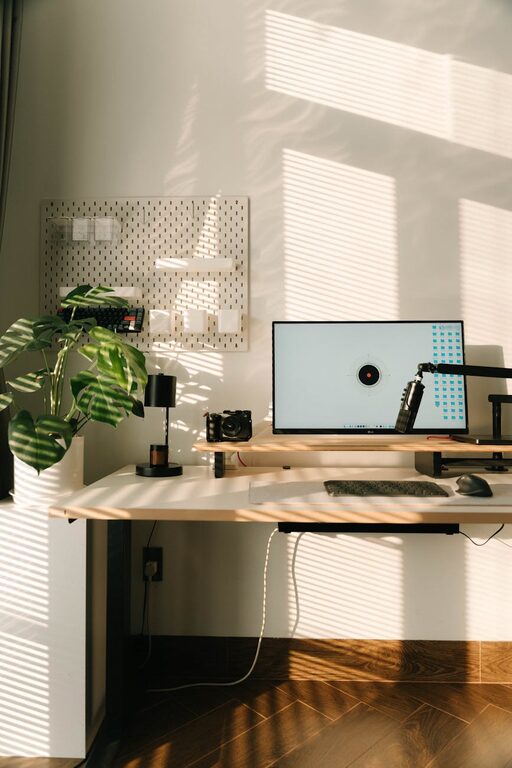
Creating a comfortable and inviting home workspace is essential in today’s world, where many people spend significant time working from home. A well-designed workspace can boost productivity, reduce stress, and make your workday much more enjoyable. Whether you have a dedicated room or just a small corner, these tips will help you create a cozy and welcoming work environment that fits your style and needs.
Choose the Right Location
The first step in setting up a home workspace is choosing the right spot. Ideally, select a quiet area with minimal distractions. If possible, pick a space with natural light to improve your mood and focus.
Consider Your Needs
Think about what you need to work comfortably. Do you require privacy for calls? Is there enough room for your computer and paperwork? Keep these factors in mind when selecting your workspace location.
Invest in Comfortable Furniture
Comfort is key to staying focused and avoiding fatigue during long work hours.
– Ergonomic Chair: Choose a chair that supports good posture with adjustable height and lumbar support.
– Desk: Pick a desk that fits your space and comfortably holds your work essentials.
– Footrest: If your feet don’t rest flat on the floor, consider a footrest to improve circulation.
Enhance Lighting
Good lighting reduces eye strain and sets a pleasant atmosphere.
– Natural Light: Position your desk near a window, but avoid glare on your screen.
– Task Lighting: Use a desk lamp with adjustable brightness to illuminate your work without harsh shadows.
– Ambient Lighting: Soft overhead lights or floor lamps create a warm and inviting environment.
Personalize Your Workspace
Adding personal touches makes your workspace feel welcoming and uniquely yours.
– Decor: Incorporate artwork, plants, or photos that bring you joy.
– Colors: Choose calming colors for walls or accessories to create a soothing vibe.
– Organizers: Stylish storage options like baskets or drawers keep your space tidy and pleasant.
Keep Your Desk Organized
A clutter-free workspace can improve concentration and reduce stress.
– Declutter Daily: Spend a few minutes at the end of each day tidying up your desk.
– Storage Solutions: Use trays, file holders, and cable management tools to keep things orderly.
– Essential Tools Only: Keep only the items you use daily on your desk to minimize distractions.
Make It Comfortable
Comfort extends beyond furniture, creating a space you enjoy spending time in.
– Temperature: Maintain a pleasant room temperature. Use fans or heaters as needed.
– Scents: Use subtle scents like lavender or eucalyptus to create a relaxing environment.
– Break Area: If space allows, add a small comfortable chair or cushion nearby for quick breaks.
Incorporate Technology Thoughtfully
Technology is essential but should enhance, not clutter, your workspace.
– Efficient Setup: Arrange your computer, keyboard, and mouse for ergonomic use.
– Cable Management: Use clips or sleeves to keep cords tidy and out of sight.
– Noise Control: Consider noise-canceling headphones or white noise machines to minimize distractions.
Maintain a Routine
A workspace is most effective when it supports a good daily routine.
– Start Fresh: Begin each day by organizing your desk and planning your work.
– Set Boundaries: Define your work hours clearly to balance productivity and relaxation.
– Take Breaks: Step away regularly to stretch, hydrate, and rest your eyes.
Creating a cozy and inviting home workspace doesn’t require a large budget or drastic renovations. By focusing on comfort, organization, and personal touches, you can build a productive environment that feels like a true extension of your home. Take your time to adjust and optimize your space as you discover what works best for you. Your ideal workspace is just a few thoughtful changes away!