

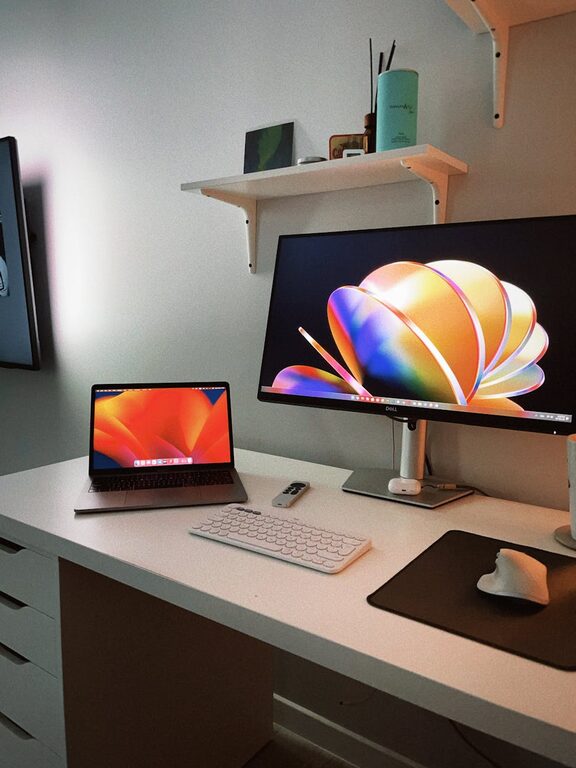
Creating a productive home office environment starts with one essential element: organization. A clutter-free workspace can make a significant difference in how efficiently you work and how focused you feel throughout the day. Whether you work remotely full-time or occasionally need a designated spot for tasks, organizing your home office can boost your overall productivity and reduce stress.
In this post, we will explore effective tips for maintaining a neat, well-organized home office that supports your work habits and promotes a clear mind.
Why a Clutter-Free Home Office Matters
A disorganized space can lead to distractions, frustration, and wasted time searching for essential items. When your workspace is tidy, you’re more likely to:
– Concentrate better on tasks
– Feel motivated and energized
– Find things quickly and avoid delays
– Maintain a professional area, especially for video calls
– Reduce stress and mental clutter
Now let’s dive into practical strategies to set up and keep your home office organized.
1. Choose the Right Location
Start with selecting a dedicated, quiet area in your home to serve as your office. Ideally, this space should have:
– Good natural lighting to reduce eye strain
– Minimal foot traffic or distractions
– Enough room for your desk, chair, and storage
Designating a specific spot helps mentally separate work from personal time, making it easier to maintain order.
2. Invest in Functional Furniture
Your furniture plays a key role in organization. Consider the following:
– Desk with drawers or built-in storage: Keeps essential items within reach without cluttering the surface.
– Ergonomic chair: Supports comfort during long work sessions and encourages focus.
– Shelving units: Great for storing books, files, and decorative items, keeping your desk clear.
– Filing cabinets or boxes: Ideal for organizing paperwork and important documents.
Choosing furniture that fits your space and storage needs sets the foundation for an organized office.
3. Declutter Regularly
Clutter accumulates quickly, so schedule regular decluttering sessions at least once a month. During these sessions:
– Sort through papers, tossing or filing what’s necessary
– Dispose of items you no longer use, such as old receipts, notes, or supplies
– Reassess the organization system and make adjustments as needed
This habit prevents mess from building up, ensuring your workspace remains neat consistently.
4. Use Smart Storage Solutions
To maintain a clutter-free desk, incorporate smart storage ideas, such as:
– Desk organizers: Use trays, pen holders, and drawer dividers to keep small items tidy.
– Vertical storage: Wall-mounted shelves or pegboards maximize space without crowding your desk.
– Labeling: Label bins, folders, and shelves clearly for easy identification.
– Cable management: Use clips, sleeves, or cable boxes to organize cords and reduce tangling.
Having designated spaces for each item ensures everything has a place and reduces clutter.
5. Digital Declutter is Key
A cluttered computer desktop or disorganized digital files can also hinder productivity. Consider these tips:
– Regularly delete unnecessary files and emails.
– Organize files into clearly named folders.
– Use cloud storage for easy access and backup.
– Close unused tabs and apps to minimize distractions.
A clean digital workspace complements your physical setup and maintains focus.
6. Personalize Mindfully
Adding personal touches to your office can boost morale but be mindful not to overdo it. Keep:
– A few meaningful photos or plants to brighten the space.
– Minimal decorative items that inspire you.
– Avoid excess knick-knacks that add to visual clutter.
The goal is a welcoming environment without distractions.
7. Maintain a Daily Cleanup Habit
End your workday with a quick tidy-up so you start fresh the next morning. This can include:
– Putting away supplies and papers
– Wiping down surfaces
– Organizing your desktop and digital files briefly
These small daily habits prevent clutter from piling up and keep your workspace inviting.
8. Establish a Paper System
Even in a digital world, paper can accumulate. Use this system:
– Inbox tray: Place incoming papers here for daily review.
– Action folder: For documents needing immediate attention.
– Reference file: For important but non-urgent paperwork.
– Recycle bin: Nearby for quick disposal of junk mail.
Having a clear paper workflow reduces mess and stress.
Conclusion
Organizing a clutter-free home office may take some effort initially, but the benefits are worth it. By choosing the right location, investing in functional furniture, establishing smart storage solutions, and cultivating daily habits, you’ll boost your productivity and enjoy a more peaceful work environment.
Remember, an organized space supports an organized mind—start small, stay consistent, and watch your workday become more efficient and enjoyable.